
Old computers, servers, hard drives, SSDs, phones, tablets, and other storage devices can continue holding sensitive information long after the equipment has been retired. Deleting files, reformatting a drive, or removing a device from service does not necessarily mean the information stored on it is gone.
R2 recycling provides data destruction services alongside electronics recycling, giving customers a practical way to address stored information before retired equipment moves through the recycling process. Depending on the equipment and project requirements, services can include physical destruction, data wiping, on site destruction, off site destruction, electronics recycling, and applicable documentation.
Whether you are replacing a group of employee computers or decommissioning larger quantities of servers and storage equipment, R2 recycling can help determine the appropriate approach.
Why Data Destruction Matters
Retiring electronic equipment does not automatically eliminate the information stored on it. Data should be considered before computers, servers, storage devices, and other electronics leave active use.
Deleted Data Can Still Be Recoverable
Deleting files or formatting a storage device may remove normal access to the information without eliminating all of the underlying data.
For electronics that contained sensitive information, a dedicated destruction or wiping process provides a more appropriate end of life approach than simply deleting files and recycling the equipment.
Retired Electronics Can Still Hold Sensitive Information
Hard drives, SSDs, phones, tablets, servers, and other devices may contain information such as:
- Employee records
- Customer information
- Financial information
- Emails
- Internal documents
- Medical or student records
- Proprietary business information
Even equipment that has been sitting unused for months or years may still contain stored data.
Data Risk Continues After Equipment Is Retired
A computer may no longer be useful to your organization, but the information stored inside it can remain accessible.
Data destruction addresses that information before or during the electronics recycling process so retired equipment does not leave the organization with unnecessary stored data still intact.
Our Data Destruction Methods
Different storage devices and projects can require different approaches. R2 recycling can coordinate physical destruction, software based data wiping, and both on site and off site service depending on the equipment involved.
Physical Hard Drive Destruction
Physical destruction damages the storage device so it can no longer be used in its original form.
R2 recycling can coordinate physical destruction for hard drives and other qualifying storage media when customers do not need the device preserved for reuse.
Data Wiping
Data wiping uses software based processes to overwrite information stored on a drive.
This option may be appropriate when a functioning storage device could potentially be reused or when the project does not require physical destruction of the media.
On Site Data Destruction
R2 recycling can provide mobile hard drive destruction for projects where qualifying storage devices need to be physically destroyed at the customer’s location.
On site service allows the destruction process to take place before the affected storage media leaves the facility.
Off Site Data Destruction
Data bearing electronics can also be collected and transported for off site destruction.
This option can be incorporated into a larger electronics recycling pickup involving computers, servers, storage equipment, and other retired devices.
What Devices May Require Data Destruction?
Data storage is found in far more equipment than traditional desktop computers. When electronics are retired, it is important to identify which devices may continue holding information.
Hard Drives
Hard disk drives are commonly found in desktop computers, laptops, servers, storage systems, DVRs, and other electronics.
They can continue retaining files and other information after the equipment itself is taken out of service.
Solid State Drives
Solid state drives store data electronically rather than on the magnetic platters used in traditional hard drives.
Because SSDs function differently from hard drives, the appropriate wiping or destruction approach may also differ.
Servers and Data Center Equipment
Servers, storage arrays, and related infrastructure can contain multiple drives and significant amounts of stored information.
Data destruction should be considered when these systems are replaced, consolidated, or decommissioned.
Computers and Laptops
Retired desktops and laptops may contain local documents, user accounts, downloaded files, emails, saved credentials, and other information.
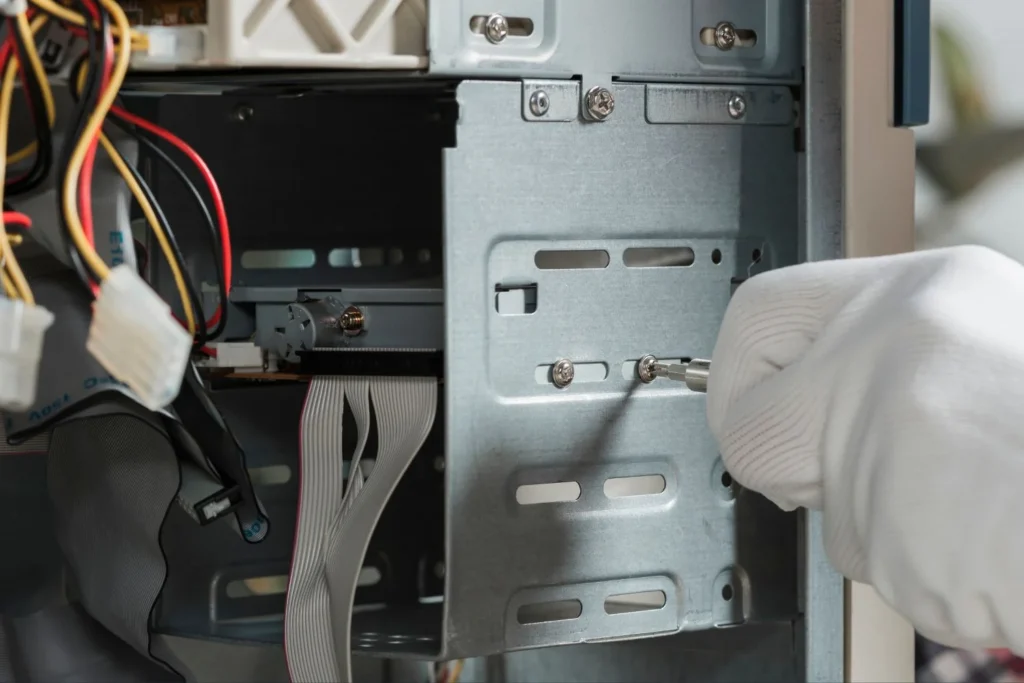
Their storage devices can be addressed before the remaining computer equipment enters the recycling process.
Phones and Tablets
Smartphones and tablets may hold contacts, emails, photos, account information, documents, messages, and other stored data.
These devices should be evaluated for data removal before they are recycled or otherwise removed from service.
Other Storage Media
Data destruction projects may also involve flash drives, memory devices, removable storage, and other electronic media capable of retaining information.
The appropriate approach depends on the type of device and how the information needs to be handled.
On Site vs. Off Site Data Destruction
R2 recycling offers options for projects where storage devices need to be addressed at the customer’s facility as well as projects where equipment can be collected for off site processing.
On Site Destruction
On site destruction is useful when qualifying storage devices need to be physically destroyed before leaving the facility.
R2’s mobile destruction capabilities allow the destruction process to be incorporated directly into the customer’s equipment retirement project.
Off-Site Destruction
Off-site destruction can be a practical option when computers, servers, drives, and other electronics are already being collected through an electronics recycling pickup.
The equipment can be removed as part of the larger project and routed through the agreed data destruction and recycling process.
R2 recycling can help determine the appropriate option based on the storage media, equipment volume, project location, and destruction requirements.
How Data Destruction Works
The process begins by identifying where data is stored and determining what needs to happen to the equipment afterward.
Step 1: Identify the Data Bearing Equipment
Determine which computers, servers, hard drives, SSDs, phones, tablets, or other devices may contain stored information.
An approximate device count can also help establish the scope of the project.
Step 2: Choose the Destruction Method
R2 recycling helps determine whether physical destruction, data wiping, on site service, or off site destruction is appropriate for the equipment involved.
The method can be selected based on device type, project requirements, and whether the storage media will be reused.
Step 3: Destroy or Wipe the Data
The selected destruction or wiping process is completed according to the agreed approach for the project.
Different storage technologies may require different methods, particularly when comparing traditional hard drives and solid state storage.
Step 4: Recycle the Equipment
Once the data requirements have been addressed, qualifying storage devices and remaining electronic equipment can move into the appropriate electronics recycling process.
This allows data destruction and electronics recycling to be coordinated as parts of the same equipment retirement project.
Data Destruction and Electronics Recycling Together
Data destruction often occurs at the same time equipment is being replaced, removed, or recycled. Coordinating the two services can simplify larger technology retirement projects.
IT Refreshes
Computer replacements and technology upgrades can leave large quantities of desktops, laptops, hard drives, and other storage equipment ready for retirement.
R2 recycling can incorporate data destruction into the recycling plan for the outgoing equipment.
Office and Facility Cleanouts
Facility cleanouts often uncover computers, storage devices, servers, and electronics that have remained in offices or storage areas long after they stopped being used.
Data bearing equipment can be identified before the larger electronics collection takes place.
Server and Infrastructure Decommissioning
Servers and storage systems may contain multiple data bearing components that need to be addressed before the surrounding hardware is recycled.
R2 recycling can coordinate destruction or wiping alongside the removal of the remaining equipment.
Electronics Recycling Pickup
Data destruction can be incorporated directly into a scheduled electronics recycling pickup.
This allows data bearing devices and other retired electronics to be handled through one coordinated project rather than arranging unrelated services for destruction and recycling.
What Happens After Data Destruction?
Data destruction addresses the information stored on a device. The remaining equipment can then continue through the appropriate recycling process.
Storage Devices
Physically destroyed or wiped storage devices can be routed into the appropriate electronics recycling stream based on the material and device type.
Computers and Servers
After their storage media requirements have been addressed, computers, servers, and other hardware can be sorted and processed with other retired electronics.
Materials
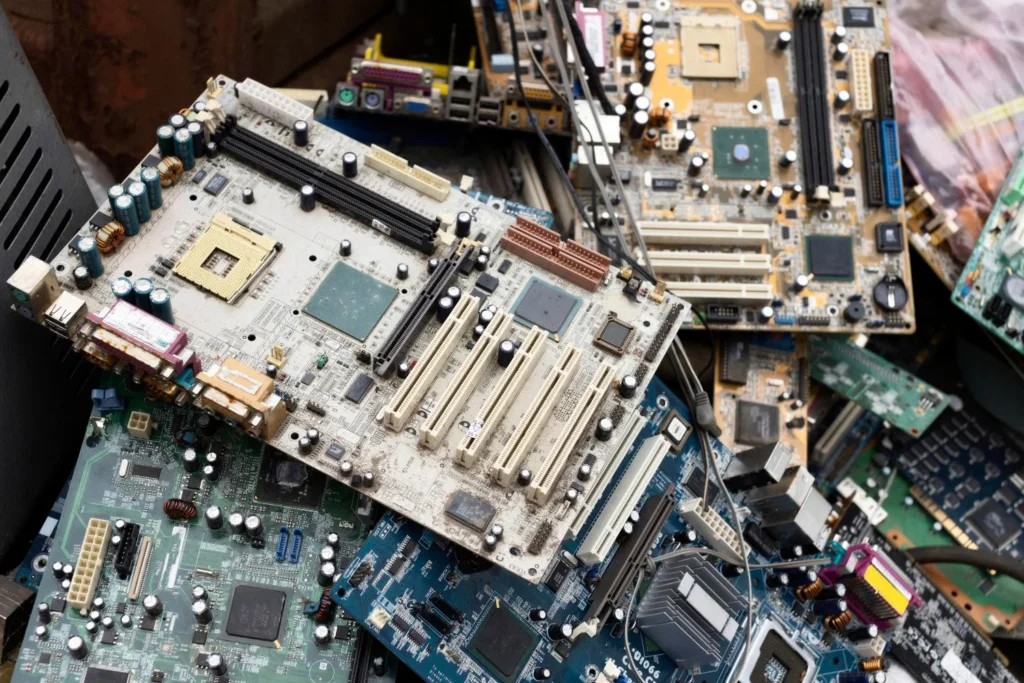
Electronic equipment can contain metals, circuit boards, wiring, plastics, and other components.
These materials can be separated and routed through the appropriate downstream recycling channels during processing.
Data Destruction Documentation
R2 recycling can provide applicable documentation for completed data destruction and electronics recycling projects.
Service Documentation
Applicable project records can document that the requested data destruction service was completed as part of the equipment retirement process.
Certificates of Recycling
When the associated electronics are recycled through R2, applicable Certificates of Recycling can also be provided for project records.
When Should Data Destruction Be Used?
Data destruction should be considered whenever retired electronic equipment may still contain information that should not remain accessible after the device leaves active use.
Common situations include:
- Employee computer replacements
- Server upgrades
- Office closures
- Data center decommissioning
- Device refresh projects
- Hard drive replacements
- Electronics recycling projects
- Large technology cleanouts
Data destruction can be planned as a standalone service or incorporated into a broader electronics recycling project.